

XIM ELPLP88 Replacement Projector Lamp Bulb for Epson Home Cinema 2040 Home Cinema 2045 EX3240 EX9200 Pro PowerLite 97H Home Cinema 1040 EB-X350 TW5300 TW5350 TW570 EX3220 EX7235 EX7240
Product details
| Management number | 220568492 | Release Date | 2026/05/03 | List Price | $14.40 | Model Number | 220568492 | ||
|---|---|---|---|---|---|---|---|---|---|
| Category | |||||||||
XIM ELPLP88/V13H010L88 Projector Lamp & Projector Bulb with housing. Lamp compatible projector: fit for Epson EB-940H EB-945H EB-950WH EB-955WHEB-965H EB-97H EB-98H EB-S04 EB-S130 EB-S27 EB-S29 EB-S31 EB-U04 EB-U130 EB-U32 EB-W04 EB-W130 EB-W29 EB-W31 EB-W32 EB-X04 EB-X130 EB-X27 EB-X29 EB-X30 EB-X300 EB-X31 EB-X36 EH-TW5210 EH-TW5300 EH-TW5350 EX3240 EX5240 EX7240 Pro EX9200 Pro H707B H719A H723C H763B HC1040 Home Cinema 1040 Home Cinema 2045 PowerLite 1224 PowerLite 1264 PowerLite 1284 PowerLite 955WH PowerLite 965H PowerLite 97H PowerLite 98H PowerLite 99WH PowerLite S27 PowerLite S31+ PowerLite U32+ PowerLite W04+ PowerLite W29 PowerLite W32+ PowerLite X27 PowerLite X36+ VS240 VS340 VS345 Please confirm whether the lamp you want to buy is correct before placing an order! Precautions when using projector lamps: 1.Handle with care. 2.If the ambient temperature is too high, it will automatically turn off the light. High ambient humidity will reduce the life of the bulb. 3.Do not turn off the projector immediately after turning it on, otherwise it will affect the brightness and lifespan, or even cause the lamp to fail to light up. 4.The projection needs to be cleaned regularly, and the lamp operation and stability should be checked after cleaning is completed. We can provide: 1. Comparable to the original Bulb/Lamp with Housing. 2. Comparable to the original Bare Bulb. If necessary, please contact us. How to change the lamp on your projector: Step 1. Unplug the power cord from your projector and let the lamp cool down. Step 2. Locate the lamp access panel on your projector and remove the screws and access panel. Step 3. Remove any screws holding the lamp housing into the projector. Step 4. Reach in and firmly pull the lamp housing out of the projector. Step 5. Place the new lamp housing into the projector in the same orientation as you removed the old lamp. Step 6. Wiggle the lamp into place and make sure full contact is made inside of the projector. Step 7. Replace the lamp mounting screws to secure the lamp into the projector. Step 8. Replace the lamp access panel and secure the screws. Step 9. Plug in your projector and power it on. Step 10. Reset the lamp counter. Some lamps will reset the lamp counter automatically when a new lamp is placed in. If your projector needs the lamp counter manually reset, look through the projector menus for an option to reset the 'Lamp Counter' back to 0 hours.
- ELPLP88 Replacement Projector Lamp Compatible for Epson EB-940H EB-945H EB-950WH EB-955WHEB-965H EB-97H EB-98H EB-S04 EB-S130 EB-S27 EB-S29 EB-S31 EB-U04 EB-U130 EB-U32 EB-W04 EB-W130 EB-W29 EB-W31 EB-W32 EB-X04 EB-X130 EB-X27 EB-X29 EB-X30 EB-X300 EB-X31 EB-X36 EH-TW5210 EH-TW5300 EH-TW5350 EX3240 EX5240 EX7240 Pro EX9200 Pro H707B H719A H723C H763B HC1040 Home Cinema 1040
- Replacing a new projector bulb is cheaper than upgrading the projector.Also, used as a spare lamp to replace a burned out projector bulb.
- All projector lamps produced by our factory have been strictly tested.It is durable and will not explode under normal use conditions.
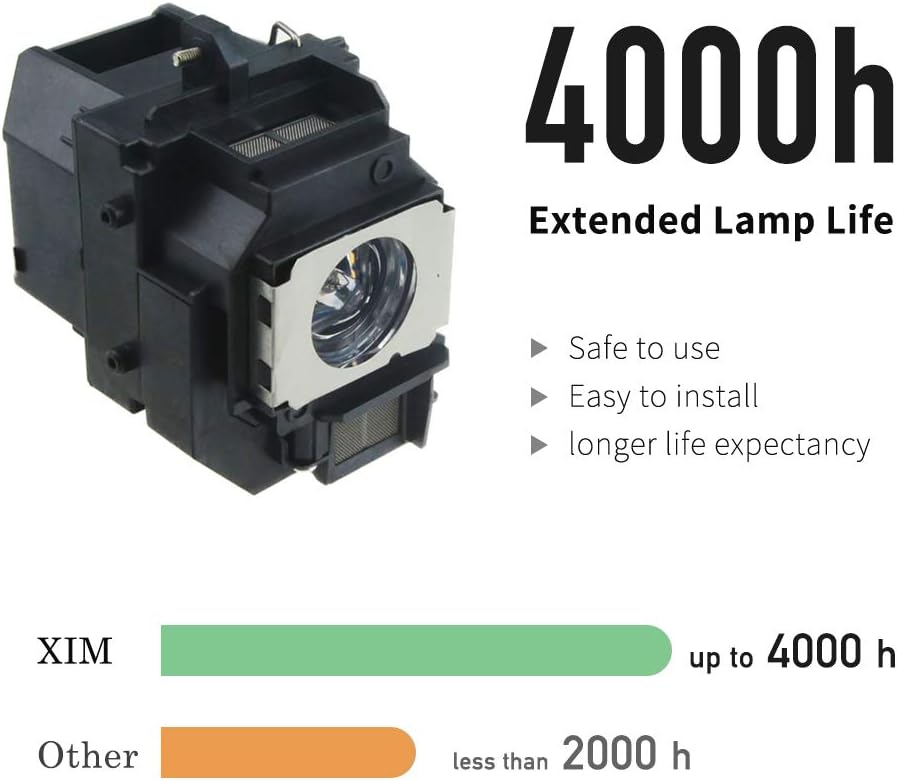
- Using a new manufacturing process, the life of the bulb is increased by 20% in ECO mode.
- 200-day return/exchange warranty.
| UPC | 712396678458 |
|---|---|
| Shape | Bulb |
| Voltage | 1 Volts |
| Wattage | 200 watts |
| Brand Name | XIM LAMPS |
| Unit Count | 1.0 Count |
| Manufacturer | XIM TECH |
| Control Method | Touch |
| Number of Items | 1 |
| Package Quantity | 1 |
| Light Source Type | Projector lamps |
| Additional Features | Long Lasting |
| Light Output Maximum | 3000 Lumens |
| Light Source Wattage | 170 Watts |
| Connectivity Technology | Normal bulb |
| Specific Uses For Product | Replacement Projector Lamp |




Bestseller ranking
Sun Roof


Customers who viewed this product also viewed
Bulbs


Correction of product information
If you notice any omissions or errors in the product information on this page, please use the correction request form below.
Correction Request Form